Introduction
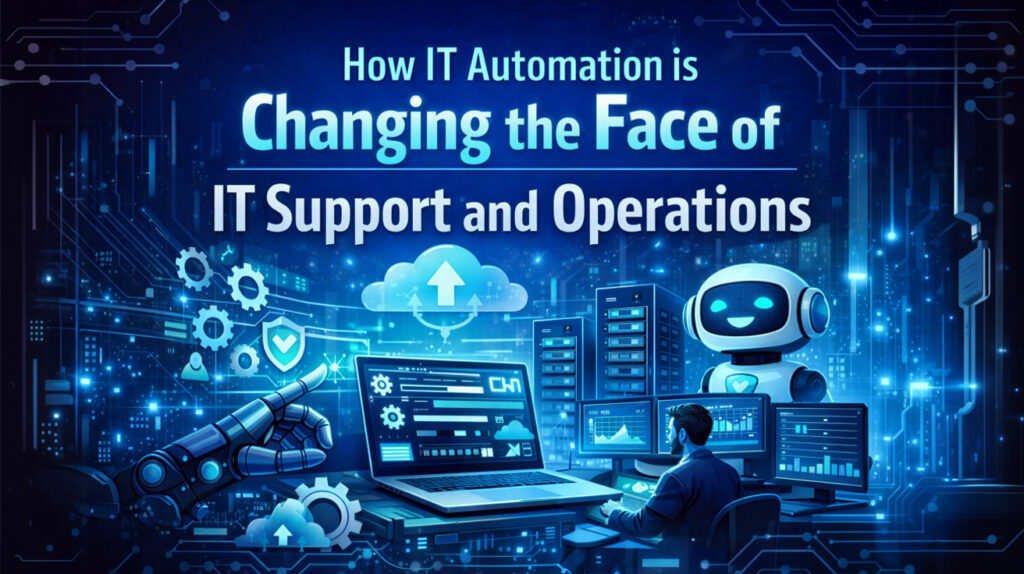
In today’s rapidly evolving digital environment, IT departments are being challenged to deliver faster, reduce their expenditure, and deliver top-notch service, all without compromising the integrity of their systems. An effective way to address this dilemma is to implement IT automation. This will enable IT departments to function more efficiently, correct more errors, and resolve problems faster. This will give them sufficient time to concentrate on high-level projects rather than menial ones.
What is IT Automation?
IT automation refers to the use of technology for the completion of tasks which would otherwise require the intervention of human resources. This may include activities such as the updating of software, system monitoring, the creation of back-ups for data, as well as the orchestration related to the operations of networks. In addition, it may involve the handling of incidents or problem resolution. It operates based on pre-programmed procedures, which may involve AI or ML processes.

Main Areas of IT Automation for Support and Operations
Incident Management and Issue Resolution
Conventionally, IT support staff are usually swamped with a multitude of support requests, quite a percentage of which are routine in nature, for example, resetting passwords, application crashes, and network downtimes. IT automation solutions are capable of handling a majority of such requests on their own. For example, in case an employee has trouble accessing his login credentials, IT automation solutions would walk him through a self-service password reset.
Automation further enhances incident response by quickly identifying recurring issues and applying patches at scale. In cases where incidents are more complex, automated systems can produce diagnosis reports that help human customer service representatives quickly determine root causes, thus shortening the overall incident response time.

Patch Management and Software Updates
It is necessary for systems to be kept up-to-date regarding the most recent patches that can safeguard against cyber attacks. It can be tedious and prone to errors if all systems are updated manually. Automation in IT makes it easier to update patches on systems because it does this job by installing updates on systems automatically. In addition, it checks the patches in a staging area before installing them on systems.
System Monitoring and Performance Optimization
The infrastructure used by the technology department also requires constant checks to make sure that the respective systems are running effectively. This is accomplished by automated monitoring software that tracks the operations of the technology, including the status of the servers, the utilization of the network, as well as applications. Such software can identify any anomalies in the technology operations and alert the technology department or automatically correct the problems by, for instance, restarting the server or allocating more cloud capacity depending on the traffic.
AI-powered monitoring will make it possible for these tools to look at past data in order to make predictions on what might fail in the system, allowing issues to be fixed before they become problematic.
Cloud Management and Orchestration
With the adoption of hybrid and multi-cloud infrastructures by organizations, cloud resource management is becoming increasingly complex. IT automation solutions have streamlined processes like cloud provisioning, load balancing, cloud spending, and scaling. Based on orchestration platforms, IT professionals are now able to automate processes involving various cloud services and on-premises infrastructure, enabling efficient application and data management.

Backup and Disaster Recovery
Data loss can end up causing huge problems for organizations, with backups often a slow and inefficient process when carried out manually. Automated data backups mean that data is securely archived without any human input, while disaster recovery can also happen automatically with a series of actions to recover data and services following outages and disasters.
Networking and Configuring Management
IT automation assists in managing network components like routers, switches, and firewalls. Network automation simplifies configuration, which can be prone to human error and potentially lead to security breaches and network downtime. Network automation utilities also provide consistency, security, and monitoring of activities to identify irregular behavior.

End-User Support
IT automation is applied not only in backend work but even in the area of supporting users. There are automated chatbots, virtual assistants, and knowledge bases that work around the clock by providing answers to standard inquiries and resolving basic tech issues. In cases where assistance requires human interaction, the process submits the problem to the appropriate team with helpful information that smoothens the process.
Advantages of IT Automation in IT Support & Operations
Increased Efficiency and Productivity
Automation eliminates the need to do repetitive work manually. This gives IT professionals the opportunity to do more significant and important tasks, such as innovation and improvement of systems.
Lower Risk of Human Errors
The daily running of the IT function is vulnerable to human error caused by various things such as overlooking or tiredness. The function is not subject to human error since the process occurs according to certain rules.
Cost Savings
Automating repetitive operations can also help cut costs involved in using human labor in businesses. Manual patch management, network management, and technical support are some operations where considerable labor is involved. IT automation results in minimal interruptions and thereby helps cut the cost involved in system failure and downtimes.
Improved Security and Compliance
Automated systems make it easier to implement patches for security issues and configuration policies on a network, ensuring that vulnerabilities are less likely to occur. Another benefit that can be realized from automation is compliance, since it is easy to produce compliance logs with automation.

Improved Incident Response and Resolution Time
With automation tools available, the IT department can quickly identify and address problems, either through automated processes designed to solve common problems or through smart systems that notify the team of critical problems as they occur. Challenges and Considerations
Despite Although the advantages of IT automation are apparent, several potential risks exist, which organizations need to be aware of
- Initial Setup Costs: There may be initial costs for implementation when adopting automation software. Anyway, this is usually overcome by the benefit of reduced costs in the long run.
- Change Management: IT departments can sometimes encounter resistance to the idea of automating certain processes, especially when employees are unsure about the impact on their jobs. It is therefore vital to have a teamwork and learning culture to ensure that the automated processes assist the workforce.
Conclusion
IT automation can revolutionize the world of IT services and operations, helping businesses move towards greater agility, efficiency, and economy. By automating some of the tedious tasks, minimizing the occurrence of errors, and improving the efficiency of systems, IT departments can not only optimize their processes but even provide better services to their end-users. As businesses increase their adoption of IT automation, there are chances of a shift in the role of IT personnel, with their focus on strategic initiatives over and above maintenance tasks. The future for IT automation is very promising, thanks to the latest developments in Artificial Intelligence and Machine Learning, which ensure the development of even more refined automation systems capable of foreseeing any issues and optimizing process efficiencies.